

Global Search
What Is Global Search?
Section titled “What Is Global Search?”Global Search is an enhancement of the existing search functionality within Keboola. It allows you to search for entities by name across all projects within an organization, even those you don’t have direct access to. The search runs over entity names only — and, for tables, also their column names — never the data stored inside them. This ensures confidentiality. If a user searches for an entity within a project they don’t have access to, they will be notified that access must be requested.
Searching
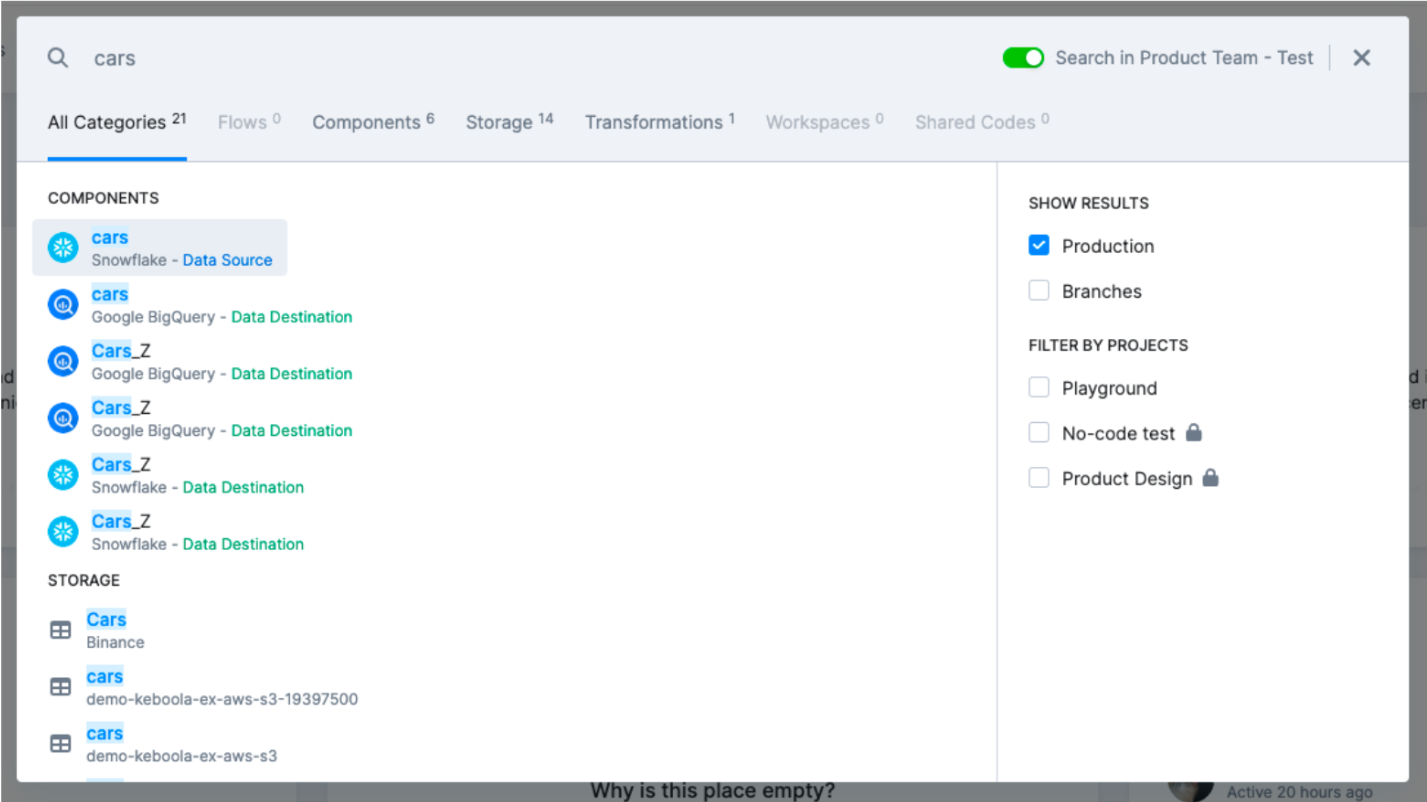
Section titled “Searching”You can perform a search across the entire organization using the global search interface:

The functionality supports filtering by entity type and environment. The search results will display both the total number of matches and aggregated results by entity type.
Supported Entity Types
Section titled “Supported Entity Types”You can search various entities across your organization. Results are sorted by relevance and creation date, with the most relevant and newest results appearing first.
The currently supported types:
- Flow
- Bucket (under Storage)
- Table (under Storage) — also findable by its column names, not just the table name
- Transformation
- Configuration (under Components)
- Workspace
- Shared Code
Using Global Search
Section titled “Using Global Search”Once a search is performed, the system will return a list of entities that match the query. The results will include detailed information about the entities found, such as entity type, name, and source project.
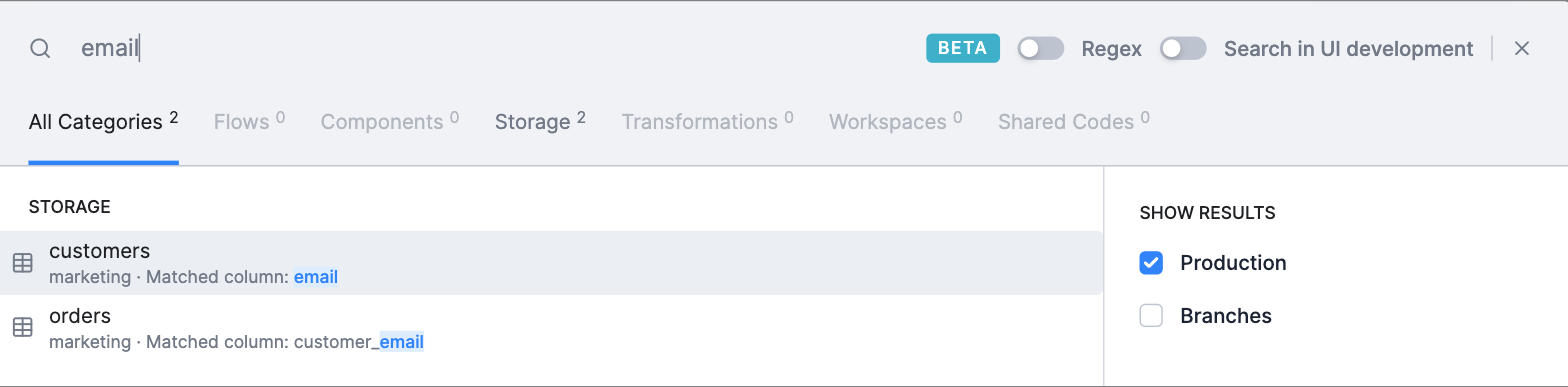
When a table is matched through one of its column names rather than the table name itself, the result row shows which column matched (for example, Matched column: email), so it is clear why the table is relevant to your query.
Matching
Section titled “Matching”By default, Global Search performs a relevance-based name search:
- Name matching — matches entity names (and, for tables, column names). A match on a table name ranks higher than a match on one of its columns.
- Exact ID — searching for an entity’s exact ID returns that entity directly, which is useful for finding an entity that has since been renamed.
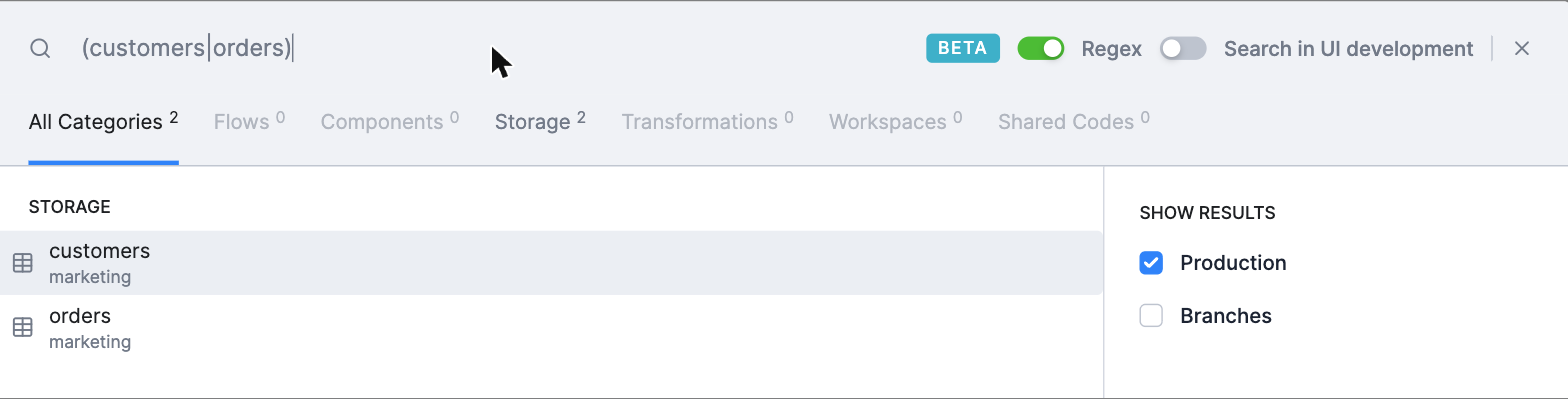
- Regex mode (advanced, opt-in) — enable the Regex toggle in the search bar to run a regular-expression search against entity names. Regex matching applies to the whole name (for example,
reportdoes not matchmonthlyReport— use.*report.*) and is case-insensitive.
Sharing and Accessing Results
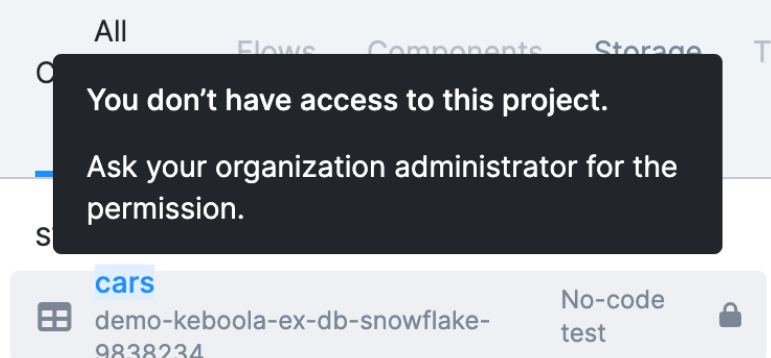
Section titled “Sharing and Accessing Results”If a user attempts to search for an entity within a project they don’t have access to, they will be notified that they need to request access to that project. This ensures that no sensitive or restricted information is exposed.
Limitations
Section titled “Limitations”The Global Search feature has the following limitations:
- The search functionality is limited to name-based searches and does not support searching through sensitive data.
- It is not possible to migrate projects with Global Search enabled between organizations.
- Renaming projects temporarily is not supported if Global Search is enabled.
- Some entities you create may not appear in the global search immediately; it might take a short while before they become searchable.